
Christmas Clipart
Comparison price $15.00$9.99 33% off
↗
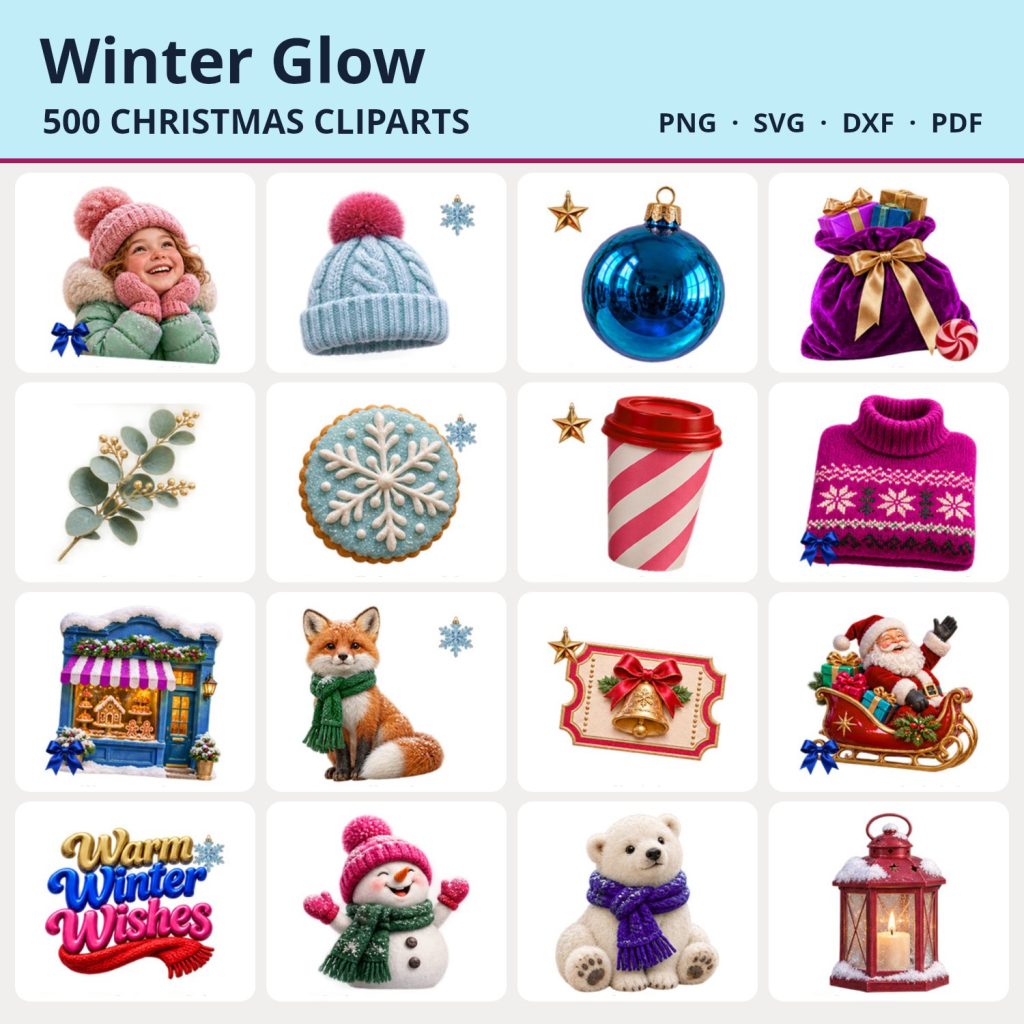
Preview is illustrative. The exact layout and content are in the downloaded files.
Winter Glow – 500 Modern Christmas Cliparts
- ▤ PNG + SVG + DXF + PDF
- ↓ Instant download
500 colorful Christmas illustrations and variants with four matching formats, supplied in five ZIPs of 100 designs.
Watch the video
Watch a custom greeting come together using artwork from this pack.
This public video is a demonstration. Your paid files are delivered after payment.
You may also like
Browse the shop ↗
Christmas Clipart
Comparison price $15.00$9.99 33% off
↗
Merry Main Street – 500 Modern Christmas Cliparts
Christmas Clipart
Comparison price $15.00$9.99 33% off
↗
Fireside Cocoa – 500 Modern Christmas Cliparts
What’s included
- 500 modern Christmas cliparts in five ZIPs of 100 designs
- 500 transparent PNG images and 500 color-traced SVGs
- 500 individual print PDFs and 500 DXF outlines
- Quick-start instructions and a searchable artwork index in every ZIP
Winter Glow brings together 500 modern Christmas cliparts for greeting cards, party stationery, labels, holiday graphics and print projects. The collection uses rich color, realistic materials and dimensional shading. Look for little snowman, polar bear, winter lantern and snowy cottage among the artwork shown in the previews. The illustrations are packaged as individual files so you can choose a subject and place it wherever your design needs it.
The artwork mix
All five parts mix characters, snow day accessories, glass ornaments, gifts, evergreen decorations, gingerbread treats, cocoa mugs, candlelight, winter knits, villages, woodland animals, paper crafts, festive scenes and lettering. The 500 cliparts include variations on the illustrated subjects. Some use a different coloring or angle, and others pair the main artwork with a small ribbon, snowflake, star, peppermint or holly accent. The product photos show a selection drawn from this bundle.
What arrives in your download
You receive five ZIP files with 100 cliparts per part. Every part contains PNG, SVG, DXF and PDF folders for the same 100 design IDs. Choose the format that suits your project and use the matching name if you need another version later. A printable file and a transparent image of the same illustration both carry the same XMAS number. Each ZIP contains a quick-start note and a searchable CSV index with the subject, collection, variant and file paths.
Design in Canva
Extract a ZIP on your computer first. Open a Canva design in your preferred size and use Uploads to bring in an individual PNG or SVG. Drag the item onto the page, then position it with your own title, message or logo. Try keeping one large image as the focal point and grouping two or three small pieces around it. When you resize a graphic, use the corner handles so the artwork keeps its proportions.
Create a winter greeting with a snowman as the main subject and a pale blue or silver accent near the message. Carry the same color into a round gift sticker or a little place card by repeating a small snowflake in one corner. For a set with several pieces, build one page with your text and colors, duplicate that page, and swap the clipart on each copy. The matching ID in the index helps you find the artwork again for a later project.
Choose the right file format
The transparent PNG is 384 by 384 pixels and keeps the original shaded look, including knit texture, icing, polished ornaments and satin highlights. It layers well over a solid color, photograph or paper background. The SVG contains actual color-traced vector paths for scaling and path editing in a vector editor. Fine surface texture is simplified in the trace. The examples in the gallery show how those two versions differ on the same design.
Each PDF contains one color illustration on a 2.13-inch square page. Open it in a PDF viewer to print the individual piece, or place the art into a larger print layout. Check the final dimensions in the print preview, especially for tags and stickers. The DXF contains closed outline paths in millimeters for compatible desktop cutting or CAD software. Check the outline and size in your cutting software before sending it to a machine. Small details and accents are easiest to handle on larger pieces.
Finding an illustration later
Keep the five part folders together. Search the CSV index for a subject such as a snowman, poinsettia or gift tag and open the format column for that row. When building several pages together, choose variations with similar colors so the set feels consistent. Save a copy of your Canva design with the new artwork placed and export the size and file type needed for the finished project.