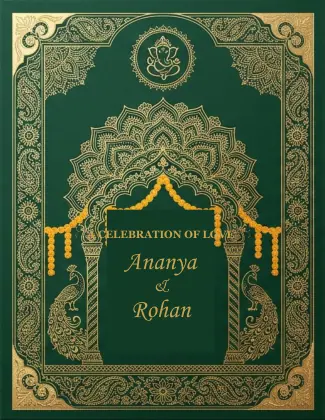
Preview both invitation pages
Hover or use Turn card to view the front and matching details. Personalize a downloaded copy in a PDF editor.
Watch how to use it
An actual PDF editor screen recording: open a card, change names and event details, review both pages and download the edited PDF.
Recorded with an Indian invitation in the included PDF editor. The card has no watermark. The example uses standard Latin text; other PDF editors with text-editing tools can also be used.
Emerald Auspicious Arch — Indian Wedding Card 064
One editable two-page Indian wedding invitation PDF, with its supplied front and matching details page.
One Indian invitation set, two supplied pages
This download contains one two-page PDF, using pages 127–128 of the supplied Indian collection. The original artwork, text, sample names, dates, page sizes and decorative details are preserved, without added watermarks.
Open a working copy in a PDF editor to personalize it. The included screen recording shows simple changes to names, date and venue, then saving an edited PDF. The browser editor can cover sample wording and add replacement text; a read-only viewer cannot change existing text. Review both pages before printing.