

Legal & Professional Services
Comparison price $15.00$9.99 33% off
↗
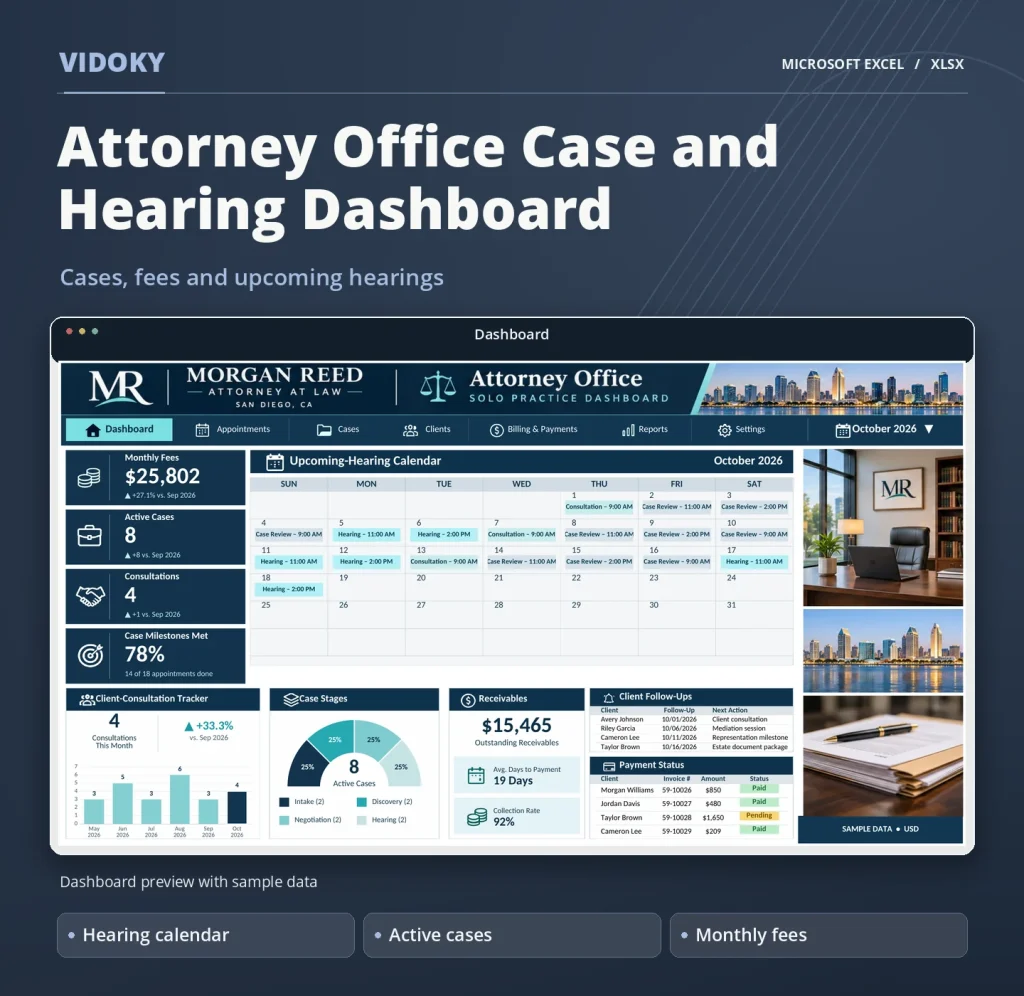
Preview is illustrative with fictional sample data. Open the downloaded workbook in desktop Microsoft Excel for the full, live version.
Attorney Office Case and Hearing Dashboard
- ▤ XLSX
- ↓ Instant download
Plan an attorney office month with a hearing calendar, case overview, fee activity and a Matter workload sheet for operational tracking.
Watch the video
Preview the Dashboard and Matter workload worksheets with sample data.
This public video is a demonstration. Your paid files are delivered after payment.
You may also like
Browse the shop ↗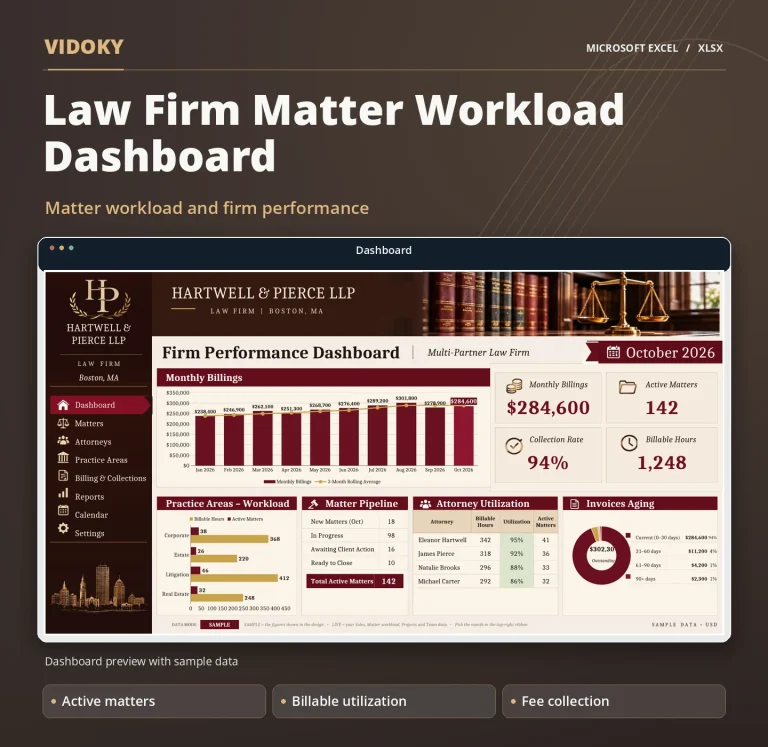
Legal & Professional Services
Comparison price $15.00$9.99 33% off
↗
Law Firm Matter Workload Dashboard

Real Estate & Property
Comparison price $15.00$9.99 33% off
↗
Title Company Closing and Escrow Dashboard
What’s included
- One editable Excel workbook (.xlsx)
- Dashboard, Matter workload and related worksheets
Review active cases, monthly fees and upcoming hearings from a dashboard built for an attorney's office. This Excel workbook pairs a visual calendar view with a Matter workload sheet and office tabs for appointments, tasks and financial reporting. It is useful when the person preparing a case needs to coordinate a date with a colleague and the person reviewing the month needs a summary of the office's work.
Start with hearings and the work that comes before them
Open Dashboard to see the example's Upcoming-Hearing Calendar, Active Cases and Monthly Fees views. Use the date pattern in the calendar to plan where preparation time is needed. Bring relevant work into Appointments, Calendar or Tasks and use a clear reference when more than one person needs to find it. Keep the detailed matter information in the records your office uses for that purpose. The worksheet can carry the reference, owner and dated activity needed for the meeting.
For a week with several hearings, review the next dates first. Give each preparation task or appointment a specific owner. Open the corresponding records later to confirm a rescheduled date and see which follow-up items need attention. That routine is also useful if new cases come in while an existing matter is taking longer than anticipated. The calendar provides a view the office can check before assigning more work to the same period.
Review fee hours and collections by workstream
The Matter workload sheet lets you capture fee hours available, billable hours, earned fees billed and earned fees collected. Columns include date, reference, workstream, status and owner. It calculates billable utilization and fee collection from the related inputs. Record the figures on a consistent basis for the reporting group so you can compare available hours with billed hours and billed fees with collections.
Try a monthly review where the hearing schedule looks light and active cases remain high. Look through the matter workload rows for work that needs preparation or follow-up outside a hearing date. Check how you grouped the hours and fee records before reading a change in the calculated percentages. Use a separate workstream row where it gives someone a clearer way to trace the underlying hours or charges.
Configure the office reporting period
Read Start Here and inspect Dash Data to learn which figures the supplied design displays. Use Sales and Expenses to record the business items you want in your reporting workflow. Open Profit & Loss for the selected month and look through Reports for the related figures. Keep the dates and references readable so that a reviewer can trace a fee back to the context needed to understand it.
Use the meeting after a hearing to confirm who owns the next task and which dates have changed. Capture the decision while the record is still open.
You receive an editable Excel XLSX in an individual ZIP. Open it in desktop Microsoft Excel and explore the sample dashboard before entering your own data. Save a working copy, check the month and add a small set of cases, dated tasks and workload totals first. Verify the displayed figures against the related records and adjust the setup as you learn how your office most often reviews hearings and case activity.
Reviews
4.9 out of 5 · 15 reviews
Nia · United Kingdom
A useful option for anyone tracking hearing dates.
Lydia · Ireland
This dashboard could anchor a short review of hearing dates and highlight where to look more closely at case timelines and court schedules.
Sofia · France
The dashboard format makes sense for hearing dates.
Miriam · Australia
A good use for this dashboard would be tracking hearing dates through the month, then reviewing case timelines and court schedules together.
Sophia · India
Hearings overview!